Book a demo or start your 30-day free trial today! No credit card required.

Australian virtual mobile numbers

Virtual mobile number without a SIM card. All you need is an internet connection to make calls.
Send and receive SMS, including forwarding them to email.
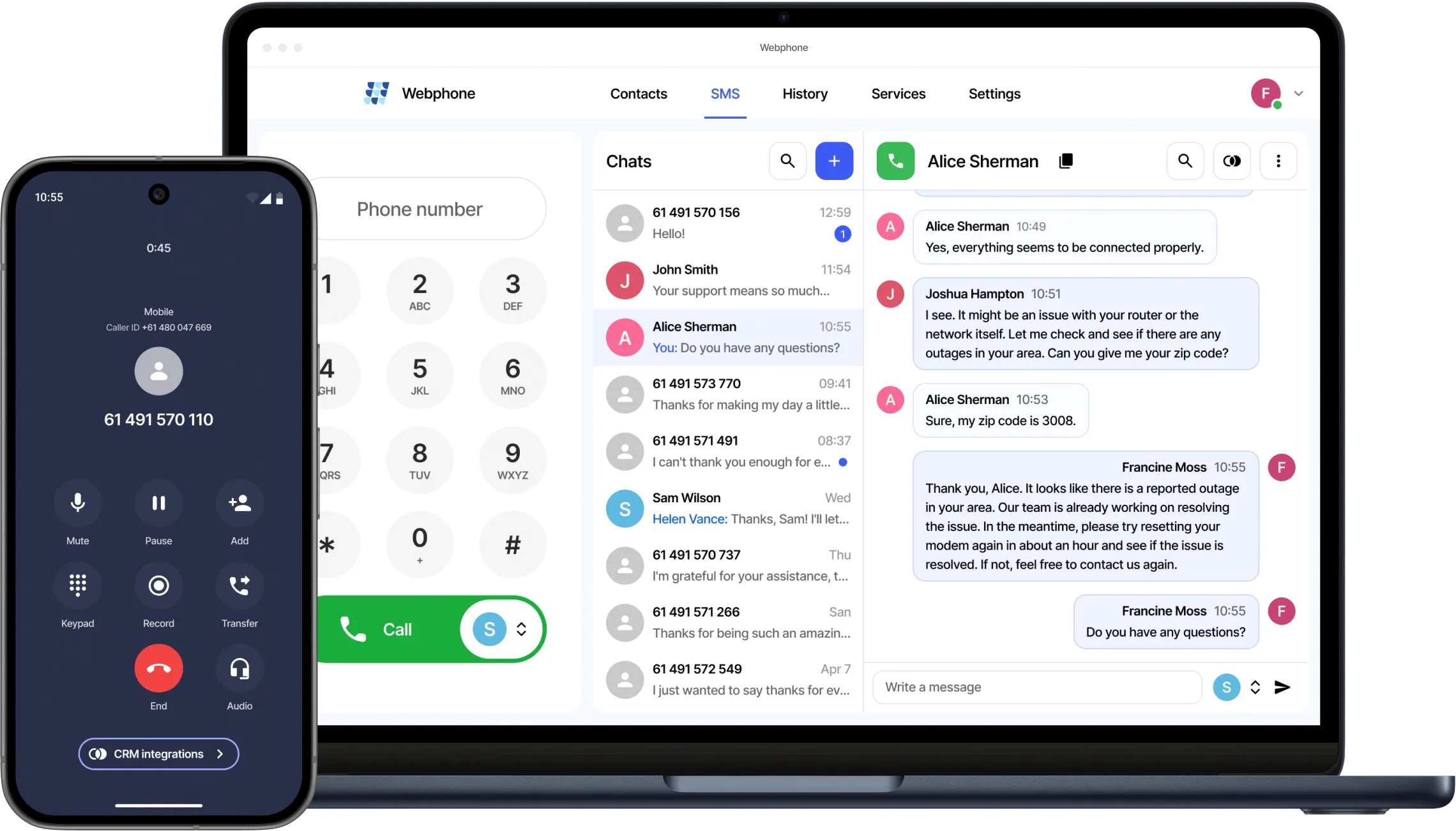
Australian virtual mobile number used for a smartphone call and Webphone messaging on a laptop

How virtual mobile numbers can help your business

Minimise roaming charges by utilising virtual mobile numbers via the internet while travelling overseas.
Enhance your business scalability by porting existing mobile numbers and distributing inbound calls and SMS messages across your team, maintaining a personalised touch as you grow.
Activate a dedicated business number for applications and websites that require SMS verification, with access controlled by authorised users1.
Empower your team to communicate with customers using familiar and trusted numbers for both calls and SMS.
Launch outbound SMS campaigns using recognisable customer-facing numbers for increased engagement2.
Integrate a mobile number with MS Teams to facilitate making and receiving calls and SMS1 directly through the platform.
1 Hosted PBX and device subscriptions are required to function
2 Requires setting up an integration with one of our partners

Say goodbye to busy lines

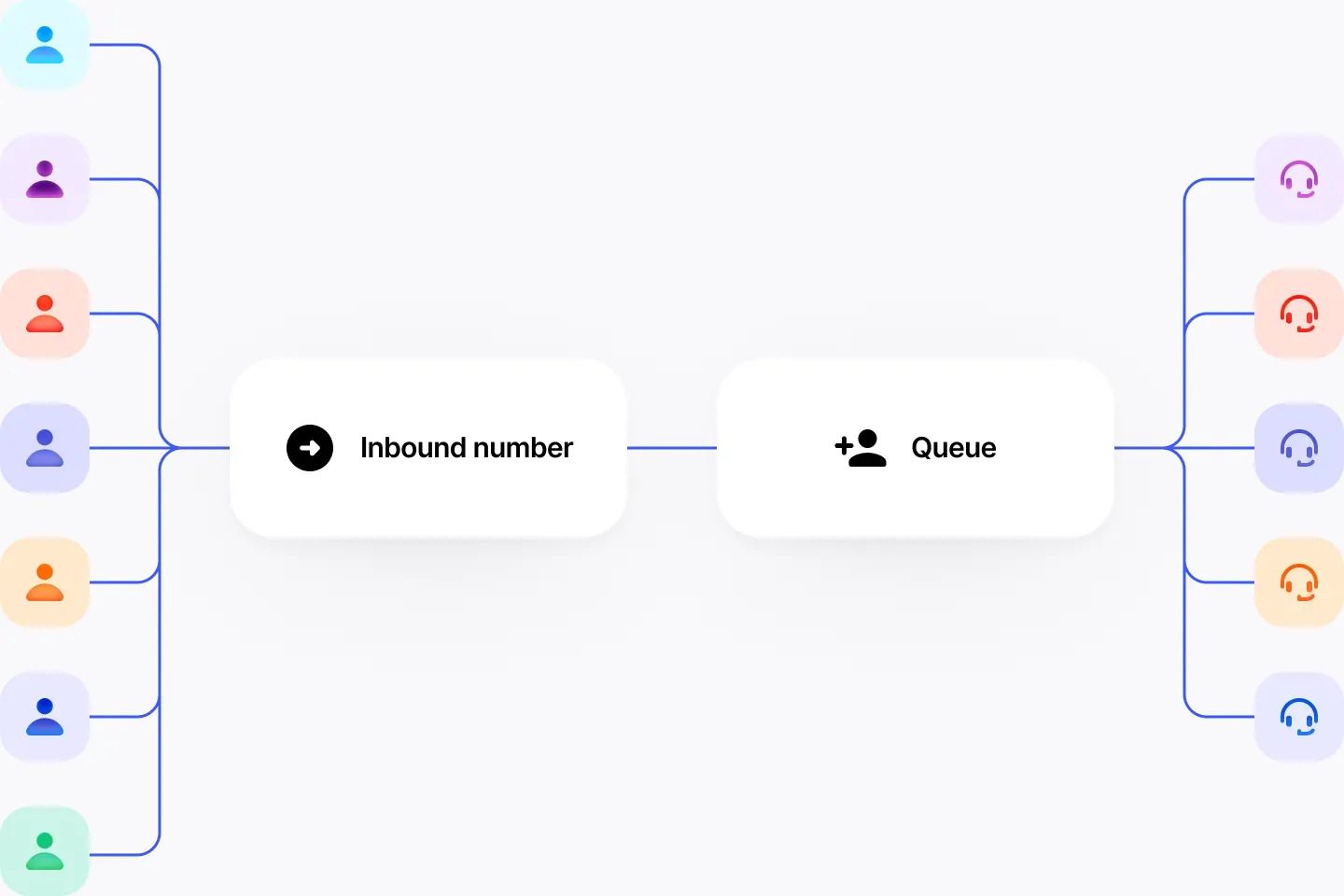
Each inbound number can handle multiple simultaneous calls.
Multiple callers reach agents through one inbound number and a call queue

Choose the right number
for your business

Instantly activate or port your phone numbers with the help of our dedicated porting team:
local, mobile, toll-free, shared cost, and international numbers.

Frequently asked questions

What's a virtual mobile number?

A virtual mobile number works just like a regular mobile number—minus the physical SIM card. Instead of relying on traditional mobile towers, it operates over the internet, so you can use it on any compatible device, not just smartphones.

Backed by VoIP technology, virtual mobile numbers offer a host of powerful features that go beyond what standard mobile services provide. To make calls, you can use a SIP device, a VoIP app, or our easy-to-use Webphone. For SMS, you can send and receive messages through the Webphone in your browser or via our desktop and mobile apps.

Why choose an Australian virtual mobile number?

Recent surveys indicate that Australian consumers prefer placing and receiving calls from mobile numbers rather than landlines. With VoIPline's PBX, you can use virtual Australian mobile numbers without a physical SIM card. Access your number through a mobile app, desktop app, or VoIP phone. You also gain access to features like call recording, voice menus, voicemail to email, and more.

How many Australian virtual mobile numbers can I have?

You can have as many as you require, and the beauty lies in the absence of restrictions on connecting numbers to devices. Unlike SIM mobile numbers, where one number corresponds to one device, VoIP allows you to link multiple virtual mobile numbers to one device or distribute them across your team of agents for streamlined management of sales channels.

Can I transfer my existing Australian virtual mobile number from another provider?

Absolutely. If you want to port your existing virtual mobile number from another provider to VoIPline Telecom, we can help. The porting process typically takes no more than 3 business days, and you can conveniently track its progress through our customer portal.

Can I use a virtual mobile number for WhatsApp, OTP authentication or similar apps?

The functionality of a virtual mobile number is identical to that of any other mobile number. You can make and receive calls and text messages. However, third-party companies, like WhatsApp, may limit the use of a number that was previously registered on their platform. This could be a virtual or any other mobile number from any other provider. If this happens, you will need to contact WhatsApp or a third-party company for resolution.

Genuine reviews from our customers ❤️

You can click on the logo on the review itself to visit the source.